In briefCheck EA dependency first, then account mode and instruments. MT5 offers more pending order types, timeframes and broader testing capabilities, but those differences do not establish better execution.
Start with what your strategy depends on
The useful starting point in an MT4 vs MT5 comparison is not the feature count: it is whether an existing Expert Advisor (EA), the account’s position rules or the instrument list rules out one platform. An EA is a program that can submit trading instructions automatically. If an essential tool only exists as an MT4 executable, find a compatible replacement before planning a switch. If your process needs to manage two opposite positions on the same symbol, confirm the new account supports that behaviour before choosing it.
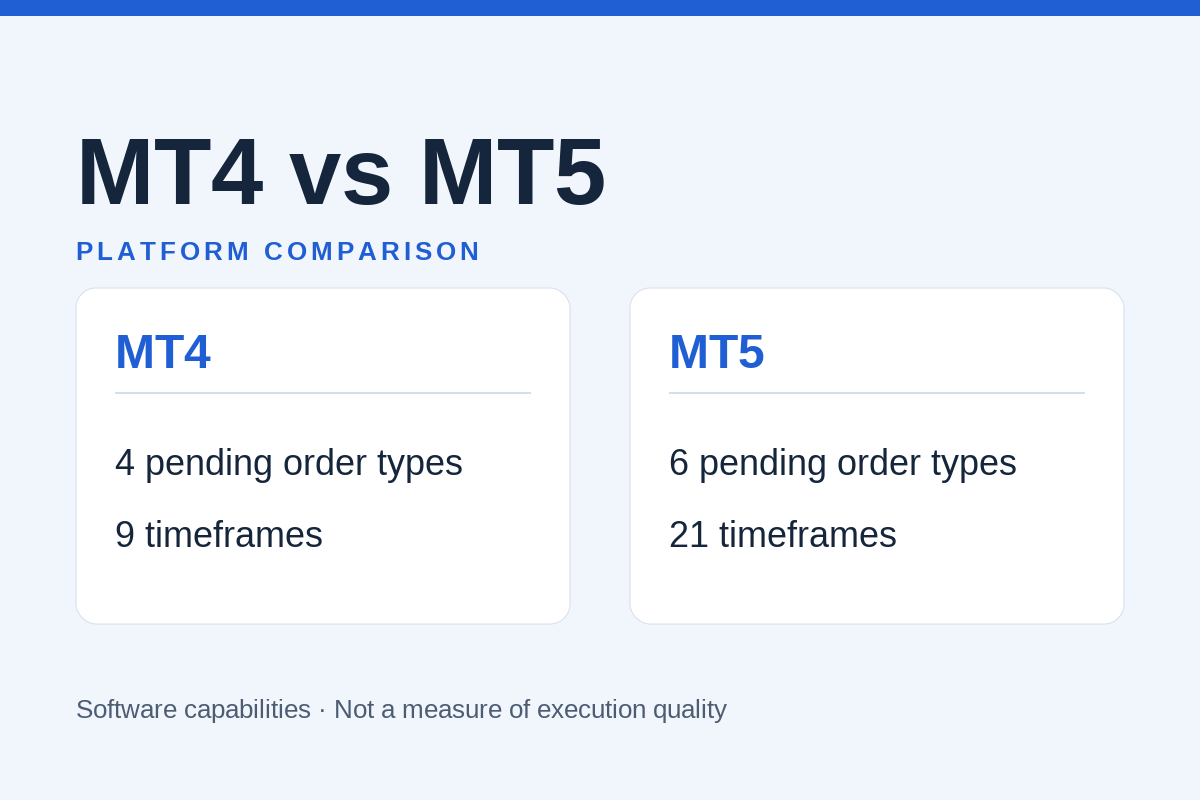
The documented differences are specific. MetaQuotes’ platform comparison lists four pending order types and nine timeframes for MT4, against six and 21 for MT5. MT4’s strategy testing is single-threaded; MT5’s tester supports multi-currency testing. These are software capabilities, not evidence that one platform produces better fills, lower trading costs or superior results. Keep the comparison attached to a task: which order instruction, chart interval or test does your method actually require?
For a no-funding comparison, write a short requirements sheet before opening either demo. Record the EA and its available files, whether simultaneous opposite-direction positions are necessary, and the exact symbols you intend to use. Add only the pending orders and chart intervals your rules call for. Mark each requirement as essential or optional. This turns a broad platform debate into a repeatable check, with a clear reason to retain MT4, investigate MT5 or pause until missing information is supplied.
For a wider framework, use the forex platforms comparison to separate platform requirements from account-level questions.
Three checks before choosing
Confirm whether essential automation has a usable version for the destination platform.
Check whether netting or hedging matches your position-management rules.
Verify the exact symbols needed in the intended account’s instrument list.
An MT4 EA is not an MT5 EA
MQL4 and MQL5 are distinct programming environments, and their compiled EA binaries are not interchangeable. An MT4 executable is not made into an MT5 programme by copying or renaming it. Establish whether you possess only a compiled file, the source code, or a separately maintained destination-platform version. Those are different starting points. If you have only the MT4 binary, do not treat migration as a file-transfer exercise or assume you can rebuild the programme yourself.
Where a rebuild is possible, define the required behaviour before assessing the new implementation. Write down the entry condition, intended direction and size, pending-order instructions, exit conditions and treatment of an opposing signal. Specify whether the strategy expects separate positions or a single net position. These notes become the acceptance criteria for the rebuilt EA. A programme that compiles successfully has passed a software build check; it has not yet demonstrated that it follows the original trading rules.
A practical demo exercise is to select several clearly described scenarios and record the expected action for each before running the destination version. Include a normal entry, an exit, a repeated signal and an opposite-direction signal while exposure already exists. Compare the observed orders and positions with those expectations. Investigate differences rather than explaining them away as platform improvements. If the rebuilt logic intentionally changes the strategy, document that as a strategy change, not as proof that the migration preserved the original behaviour.
If existing automation makes MT4 your starting point, the MT4 broker comparison guide is a separate research route; it does not replace checking your EA files and account requirements.
Work through netting versus hedging
MT5’s documented account model distinguishes netting from hedging. In netting mode, there is one net position per symbol. In hedging mode, separate positions, including opposing positions, can exist on the same symbol. Therefore, asking whether a strategy works on MT5 is incomplete without identifying the intended account mode. The visible result of an opposite-direction instruction is not necessarily the same across those modes, even when the symbol and stated trade sizes match.
Consider a hypothetical starting position of 0.30 lots long on one symbol. In a netting account, a completed 0.10-lot sell against that position leaves 0.20 lots net long. In a hedging account, if the sell instruction opens a new position, the result is a distinct 0.30-lot long position and a 0.10-lot short position. Their directional balance is also 0.20 lots long, but the account contains two separate positions rather than one reduced position. Matching net direction does not mean matching position structure.
Repeat this example in a suitable demo and inspect the positions rather than relying on the order-entry labels. Confirm the initial position size, identify whether the second instruction opened a new position, and record the resulting tickets and volumes. Then compare that result with your strategy’s requirements. If the strategy manages individual positions, a netting result cannot simply be accepted because the directional arithmetic matches. Conversely, if the rules require one net exposure, distinct tickets need explicit handling rather than an assumption that they are equivalent.
One net position after an opposing trade
When the sell opens a new position in hedging mode, two distinct positions remain despite the same directional balance.
Match features to actual trading rules
MT4 has four pending order types: buy limit, sell limit, buy stop and sell stop. MT5 has six, adding buy stop limit and sell stop limit. The useful question is not whether six is more than four, but whether your method calls for one of the additional instructions. Write the intended entry rule in plain English, then identify the matching order type. If you cannot explain the required instruction, a larger order menu does not resolve the uncertainty.
The same discipline applies to chart intervals. MT4 offers nine timeframes and MT5 offers 21, according to MetaQuotes’ comparison. List the intervals used for your decisions and check them in each platform. More available intervals can matter when they match a defined workflow, but their number does not establish a stronger trading method. For a fair comparison, retain the same decision rules wherever possible rather than changing the strategy merely to use more of the destination platform’s menu.
Instrument coverage is a separate check from either count. Inspect the intended account’s instrument list and confirm the exact symbols your process needs; do not infer that a particular instrument is available simply because the software is MT4 or MT5. In your comparison sheet, keep three separate columns or notes: software function, account mode and required symbol. A platform can satisfy your timeframe requirement while the account fails your position-accounting requirement, or while the instrument list does not match your plan.
Use the forex order types guide alongside your written entry rules so that order selection remains a practical requirement rather than a feature-count contest.
| Capability | MT4 | MT5 |
|---|---|---|
| Pending order types | 4 | 6 |
| Timeframes | 9 | 21 |
| Highlighted testing distinction | Single-threaded testing | Multi-currency testing |
Documented feature counts, not measures of execution quality
Testing capability is not execution superiority
MT4’s single-threaded strategy testing and MT5’s multi-currency testing describe different aspects of the testing environment. They should not be compressed into a claim that MT5 trades better. Multi-currency testing is relevant when the strategy being evaluated involves more than one currency instrument. The appropriate starting point is therefore the strategy’s test requirement: what instruments and interactions must the test represent? A broader testing facility has a purpose when that requirement exists, not merely because it appears in a comparison.
To assess a migration, first use a tightly specified behavioural test. Keep the intended rules and selected scenarios explicit, then check whether the destination EA issues the expected instructions. For the opposing-position scenario, write down the required account mode and expected position structure beforehand. This prevents a test from being labelled successful merely because it ran to completion. A completed run and a correct implementation are different findings; the latter requires comparison against a documented expectation.
Keep software capability, trading costs and market depth separate in your conclusions. Neither the number of timeframes nor the ability to test multiple currencies establishes transaction costs, available depth or the quality of order execution. This guide’s documented platform differences cannot settle those questions. A defensible conclusion is narrow: for example, the destination tester supports the required multi-currency test, or the rebuilt EA produced the expected positions in the chosen demo scenarios. Neither finding supports an advertised return or a promise about live execution.
If MT5 meets your software requirements, treat the MT5 broker comparison guide as a separate account-research step, not evidence that every MT5 account behaves identically.
Give the demo migration pass-or-fail criteria
Make a copy of the old demo’s order history and write down the settings needed to reproduce it: server, symbol suffix, lot increment, account currency and the chart interval used by the EA. A different suffix can point to a different contract rather than merely a renamed symbol. Keep the old setup available as a reference while comparing results, and check that automation is not active on both terminals when you are trying to isolate a discrepancy. A controlled demo exercise is valuable even when you decide not to migrate.
Next, prepare the destination demo and confirm the account mode and instrument list there. Use the appropriate destination-platform EA version or rebuild, rather than the original incompatible binary. Run the predefined entry, exit and opposing-signal scenarios, recording what was expected and what happened. Check the position structure as well as the net direction. Repeat a failed scenario after any correction so that a later pass can be traced to a specific change rather than to an unexplained difference.
Accept the demo migration only when all essential requirements have evidence against them: the EA version runs, required order instructions and intervals are present, symbols match the plan, and observed position handling agrees with the written rules. Keep unresolved differences visible, including any deliberate strategy changes. This is an operational acceptance exercise that can be completed without funding an account. It demonstrates only what the recorded demo checks establish; it does not convert those observations into a conclusion about live trading outcomes.
Keep the scope of those observations clear with the demo versus live trading account guide when documenting what your migration checks do and do not establish.
Choose the platform that passes your checks
Retaining MT4 is a reasonable operational conclusion when an essential MQL4 EA remains your dependency and the platform meets your defined requirements. Investigating MT5 is justified when you need its additional pending order types, timeframes or multi-currency testing capability, provided the destination implementation and account also pass your checks. Neither conclusion requires declaring a universal winner. The useful answer is the platform-and-account combination that supports your stated process without an unresolved incompatibility.
Finish with a brief decision record: the essential requirements, the evidence collected in demo, any failed checks and the reason for the choice. Distinguish documented platform facts from your own observations. MetaQuotes’ comparison supports the feature counts; its account-model documentation supports the netting and hedging distinction; its Strategy Tester documentation supports the testing discussion. Your recorded demo exercise answers the narrower question of whether the selected setup behaved as expected in the scenarios you actually checked.
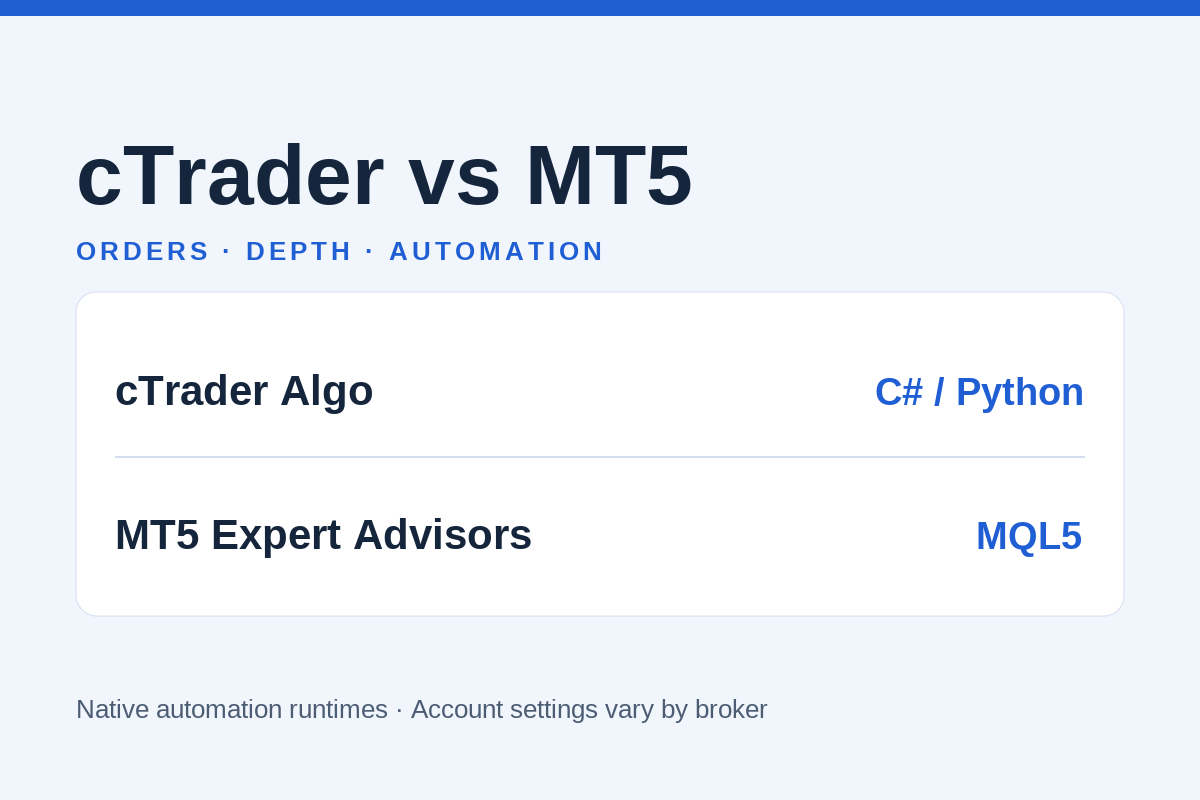
If MT5 is not the only alternative, compare cTrader vs MT5 for a different automation and order-depth workflow.