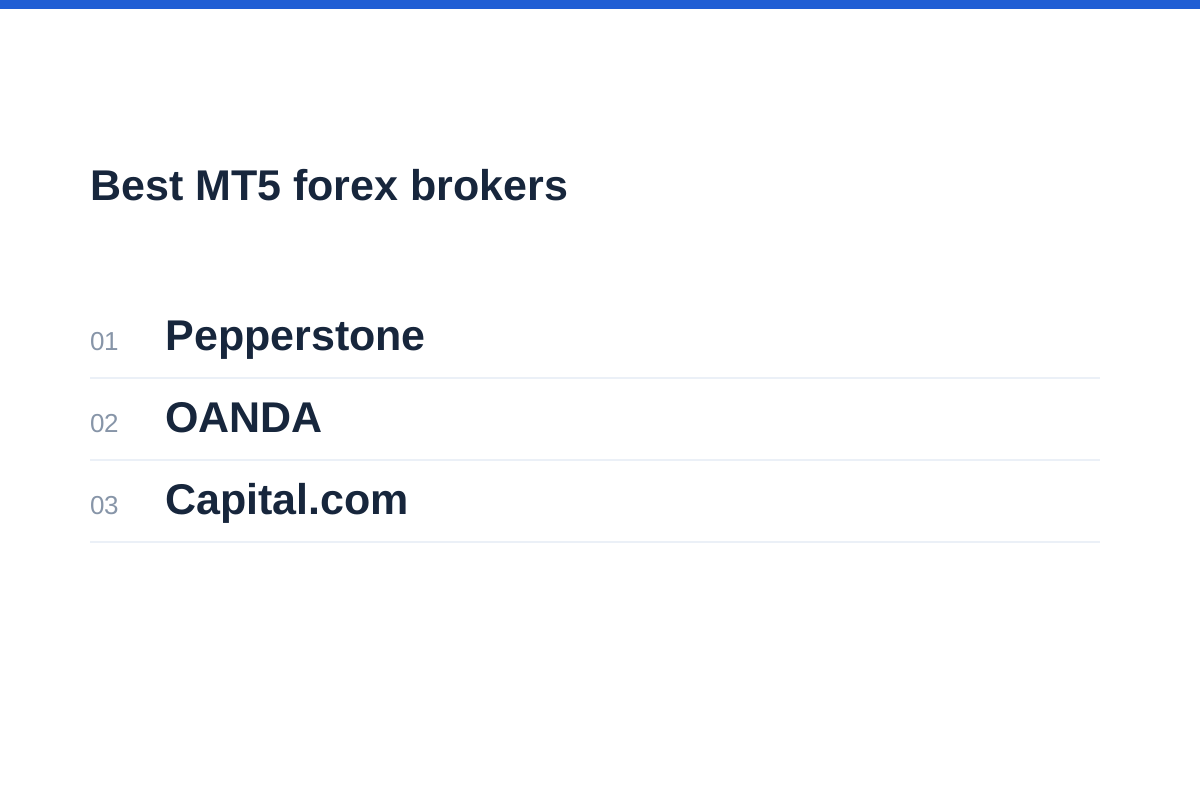
In briefAmong the best MT5 forex brokers for your workflow, account structure and contract settings matter as much as the platform feature list. Research Pepperstone for Standard-versus-Razor pricing, OANDA for region-specific MT5 arrangements, and Capital.com for documented Expert Advisor support and live or demo access. These are three practical options, not an execution-quality ranking. Your contracting entity, total costs and automation requirements determine suitability.
Best MT5 forex brokers: shortlist and trade-offs
Start with Pepperstone if your main decision is spread-only versus raw-spread-plus-commission forex pricing. Consider OANDA if you need to understand how MT5, demo access and other integrations differ by region. Capital.com is another option for MQL5 users: its dedicated MT5 page confirms Expert Advisor support and live or demo access, subject to region and account type. The order below follows those comparison priorities, rather than ranking overall broker quality.
This comparison draws on official account and platform documentation, not live-account testing. We have not deposited funds or tested broker servers. Pricing choice, regional access and automation support provide useful starting points, but do not establish execution quality, withdrawal performance or likely returns.
MT5 is software, not a financial product or a regulator. Although it supports forex, stocks and futures, a particular broker account may provide only selected over-the-counter derivatives. A multi-asset platform does not automatically give you exchange membership, deliverable currency or institutional liquidity.
| Broker and research priority | Reason to consider | Main trade-off |
|---|---|---|
| 1. Pepperstone — pricing choice | Standard and Razor CFD accounts support MT5, with spread-only forex pricing or raw spreads plus commission. | Compare actual spreads, commission and funding for your entity rather than headline minimums. |
| 2. OANDA — regional platform arrangements | EU and BVI help pages describe MT5 access and specific demo restrictions. | Platform, API and integration arrangements differ between entities. |
| 3. Capital.com — automation and demo access | Its dedicated MT5 page confirms Expert Advisors, custom tools and live or demo accounts, subject to eligibility. | Confirm regional access, account settings and applicable charges before moving a strategy. |
Check the legal entity before comparing platform features
Start with your country of residence and the company named in the client agreement. A familiar brand can operate through several entities, each with different permissions, products and protections. A regional landing page is useful evidence, but it does not establish that you are eligible to open that account.
Distinguish deliverable spot FX from leveraged rolling spot FX and currency CFDs. Deliverable spot involves exchanging currencies for settlement; rolling spot exposure is maintained rather than routinely delivered. The FCA includes rolling spot FX within its retail CFD framework. Exchange-traded currency futures have different contract, clearing and expiry arrangements.
The FCA warns that clients redirected overseas or inappropriately classified as elective professionals can lose protections. Do not switch jurisdiction simply to obtain higher leverage or a preferred platform. The CFTC also warns that forex is volatile and that margin trading can expose participants to substantial losses.
Use our guide to checking whether a forex broker is regulated to match the agreement’s company name, register entry and permitted activities. Check contact details independently rather than trusting a registration number displayed on a website.
Follow the account, not the brand
Establish which local offering accepts your application.
Read the contracting company and applicable protections.
Identify CFDs, rolling spot FX or exchange-traded instruments.
Confirm the MT5 account type, instruments and permissions.
Pepperstone: compare Standard and Razor pricing
Pepperstone lists MT5 for both Standard and Razor CFD accounts. Standard uses spread-based forex pricing without a separate commission; Razor uses raw spreads plus commission for FX and spot gold CFDs. Overnight funding remains a separate consideration. This makes Pepperstone a useful starting point if choosing between those pricing structures is central to your MT5 account search.
Standard may be easier to reconcile if you want most transaction pricing expressed through the spread. Razor makes the commission component explicit, which can help when analysing a frequently traded strategy. Neither structure is inherently cheaper: the answer depends on actual spreads, trade size, commission currency and holding period.
The page also contains broad statements about shared account access alongside more specific platform distinctions. Use the detailed account comparison and your local account-opening documents rather than assuming every integration is identical. MT5 availability does not establish that another platform uses the same login or position ledger.
Our Pepperstone review provides the wider broker context. For this decision, obtain the MT5-specific charges and symbol specifications for the entity accepting you, rather than borrowing figures from another regional website.
OANDA and Capital.com: regional access, demos and automation
OANDA’s EU help page states that demo users can access MT5 and the OANDA app, but not TradingView. Its EU TradingView page separately describes access through the CFDs account type and excludes demo accounts. An integration available for a live account may therefore be unavailable in demo.
For OANDA Global Markets in the BVI, the help page says MT4 sub-accounts are no longer provided and describes migration to MT5. Demo users can log in only to MT5 and cannot use those demo accounts with TradingView. The page also says API functionality is unavailable for that entity’s clients. Do not extend those statements to every OANDA business or confuse the API restriction with a statement about MT5 Expert Advisors.
Capital.com’s dedicated MT5 page confirms support for Expert Advisors, custom indicators, scripts and trading robots. It also confirms that MT5 can be used with live and demo accounts, depending on region and account type. The setup process requires a verified Capital.com account followed by creation of an MT5 account; MT5 credentials are available within the account settings.
Capital.com’s international charges page lists no trading commission, alongside dynamic spreads, overnight funding and currency-conversion charges. Confirm which terms apply to your MT5 account rather than assuming every platform feature or charge is identical. The MT5 page’s general description of execution modes does not establish which mode applies to each instrument, and the broker’s overall market count is not an MT5-specific instrument count.
Eligibility still needs a separate check. Capital.com’s country-availability page excludes residents of several countries, including the United States, Canada and Belgium, and says it cannot serve US citizens regardless of residence. An accepted country of residence does not by itself confirm MT5 access: the platform page also makes availability dependent on region and account type. Confirm the contracting entity, available symbols and hedging or netting settings before migrating an automated strategy.
Read our OANDA review alongside the documentation for your actual region; an EU demo limitation and a BVI migration notice describe different contractual offerings.
Use the Capital.com review for broader context, then confirm local MT5 eligibility, the applicable charges and your strategy’s account requirements before planning a transfer or buying software.
Compare total trading costs with a consistent example
A minimum spread is not a total-cost quote. Compare the same currency pair, position size, trading session and holding period. Add both sides of any commission, then include funding and account-currency conversion where applicable. Slippage is an additional execution outcome, not a fixed tariff.
Consider an illustrative EUR/USD trade of 0.10 standard lot, assuming a 100,000-euro standard contract and a USD account. Its pip value is approximately $1. A hypothetical spread-only account at 1.1 pips costs $1.10 through the spread. A hypothetical raw account at 0.2 pips plus $0.35 commission each way costs $0.90.
The illustrative difference is $0.20 before funding and slippage, not evidence about these brokers’ live prices. If the raw spread widened to 0.5 pips, its total would become $1.20. Compare representative conditions rather than selecting whichever isolated quote looks best.
Use the spread-cost calculator to translate spread assumptions into money, keeping any separate commission outside that calculation unless explicitly included.
For positions held overnight, the swap-cost calculator helps compare holding-cost scenarios. Check its input convention against the broker’s quoted swap units and rollover schedule.
| Cost or setting | What to collect | Why it changes the comparison |
|---|---|---|
| Spread | Typical observations for the same pair and session | A quoted minimum may occur only briefly. |
| Commission | Per-side rate, currency and minimum rounding | Small trades can be affected by minimum charges. |
| Overnight funding | Long and short rates plus rollover schedule | Holding costs can outweigh entry-cost differences. |
| Contract specification | Contract size, tick value and volume step | Identical lot labels need not imply identical exposure. |
| Execution conditions | Order rules, restrictions and observed slippage | The displayed spread does not determine the eventual fill. |
Treat MT4-to-MT5 migration as a software project
MT5’s MQL5 development environment supports creating, debugging, testing and running trading applications. However, an MT4 Expert Advisor is not simply an MT5 installation file. Moving from MQL4 generally requires an MT5 version or code changes, recompilation and validation. Budget for that work before choosing an account.
Position accounting matters just as much as language compatibility. MT5 supports both hedging and netting: hedging permits multiple positions in a symbol, including opposite directions; netting maintains a combined position. Confirm what your broker’s account actually uses. An algorithm designed around separate tickets may behave differently on a netting account.
Check symbol names, contract sizes, volume increments, permitted order types and trading hours. Then test entries, partial closes, stop modifications and restart recovery. A successful compilation proves that code builds, not that it implements your intended trading rules correctly.
Desktop automation also needs an operating environment. Do not assume that installing a mobile app or opening the web terminal runs your desktop Expert Advisor. Establish where the application executes, how disconnections are handled, and who receives alerts when orders fail.
More custom logic means more validation
Challenge the Strategy Tester before choosing an account
The Strategy Tester is useful for examining how programmed rules behaved under specified historical assumptions. It does not establish future profitability. A smooth equity curve may reflect overfitting, unrealistic costs or data that do not reproduce the conditions your live account will face.
Record the broker server, symbol, date range, modelling settings and available price history. Check whether spread, commission and funding assumptions match the intended account. Strategies sensitive to intrabar movements need particular care: simplified price paths can change the sequence of entries, stops and exits.
Separate development data from an untouched evaluation period. Vary costs and parameters modestly rather than relying on one optimised combination. Then forward-test on the intended demo server, checking order handling as well as results. Demo fills still cannot establish live execution quality.
Before funding, retain an account-selection record: entity, product, pricing schedule, position-accounting mode and unresolved questions. Choose the candidate that satisfies those requirements with the fewest material uncertainties. A different account or postponing automation may be preferable to accepting an unexplained mismatch.
Our explanation of demo versus live trading accounts covers why virtual trading is valuable for operational checks but cannot reproduce every financial or behavioural consequence of risking money.
Frequently asked questions about MT5 broker accounts
Which MT5 forex broker should I research first?
Start with Pepperstone if you want to compare Standard and Razor forex pricing on MT5. Research OANDA for its entity-specific platform arrangements, or Capital.com for documented Expert Advisor support and live or demo MT5 access subject to eligibility. These are different reasons to investigate an account, not an overall performance ranking.
Does MT5 mean I am trading actual currencies?
No. MT5 can support different instruments, but the broker account determines the contract. Retail forex exposure may be rolling spot FX or a CFD rather than deliverable currency. Exchange-traded futures are another distinct product. Read the instrument specification and legal documents rather than relying on the platform name.
Will my MT4 robot work on MT5?
Not automatically. Obtain an MQL5 version or arrange suitable development work, then validate the trading logic. Also check hedging versus netting, symbol names and contract specifications. A broker migrating an account does not mean your existing robot has been converted or tested.
Can every OANDA demo connect to TradingView?
No. OANDA’s EU help page limits demo access to MT5 and the OANDA app. Its BVI help page says demo accounts cannot use TradingView and can log in only to MT5. Check your particular entity rather than assuming the brand has one universal integration.
Does a good MT5 backtest justify opening a live account?
Not by itself. Review data quality, trading costs, parameter sensitivity and out-of-sample behaviour, then test operational handling on demo. Historical simulation cannot establish future results or live fills. Any live decision should also reflect affordability, leverage exposure and your ability to tolerate losses.