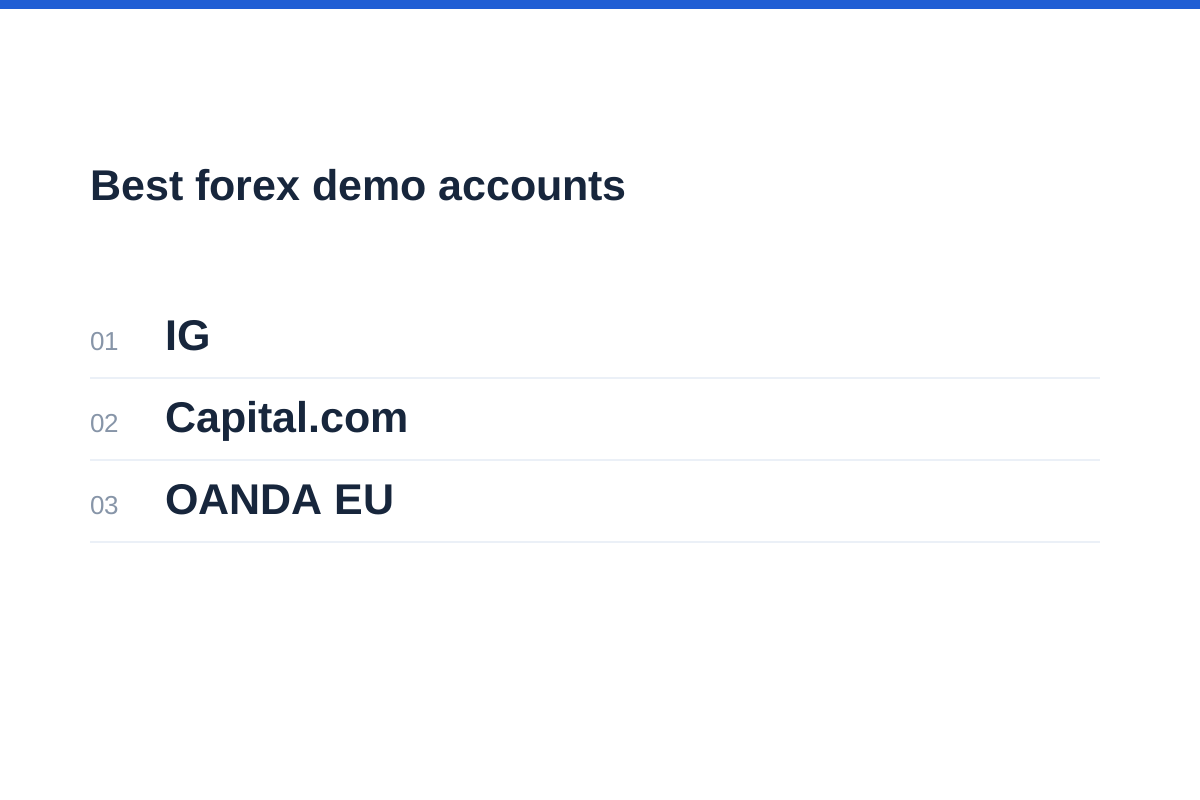
In briefThe best forex demo accounts let you rehearse a specific platform with realistic position sizes and a clear understanding of simulated execution. Choose a demo for the task you want to practise. IG documents important simulation limits; Capital.com advertises no expiry and supports eligible MT4 and MT5 demo users; OANDA EU specifies its platforms and 180-day expiry rules. Pepperstone and XTB need further demo-specific checks before they can be recommended for these purposes.
Best forex demo accounts: shortlist and trade-offs
IG, Capital.com and OANDA offer documented demo features relevant to this comparison. Pepperstone and XTB complete the five-brand comparison, but their account and platform pages do not establish enough demo-specific conditions for a recommendation. Availability depends on your country and the legal entity serving you.
Among the three documented fits, IG comes first for its explicit explanation of simulation limits, Capital.com second for practice without an advertised expiry, and OANDA EU third for clearly defined MT5 and app access with an expiry deadline. These are reasons to choose a practice environment, not claims about execution quality, reliability or future returns. We have not tested accounts, deposits or withdrawals.
Pepperstone and XTB are not ranked demo picks here. Their published pricing and platform information helps identify questions to ask, but does not establish how their simulations handle costs, expiry or resets. OANDA BVI is discussed as a regional alternative within the OANDA brand, not counted as a sixth option.
| Option | Documented practice fit | Important qualification |
|---|---|---|
| 1. IG | Web demo, mobile practice and a separate MT4 demo; detailed simulation exclusions | International demo terms are not universal UK terms; expiry and resets remain unconfirmed |
| 2. Capital.com | No advertised expiry; eligible MT4 and MT5 demo access | Regional and account restrictions apply; execution and liquidity may differ from live trading |
| 3. OANDA EU | MT5 and OANDA app; explicit 180-day expiry rules | No TradingView demo; app-only expiry runs from registration |
| Pepperstone — not ranked | Standard and Razor pricing provide a useful cost-comparison exercise | Confirm demo availability, costs modelled, expiry and resets |
| XTB — not ranked | Desktop and mobile workflow worth checking | Demo access, duration, cost modelling and resets need confirmation |
Choose the simulation before choosing the brand
Start with the task: learning order entry, comparing costs, practising mobile position management or testing a rules-based process. A generous virtual balance is less useful than matching the account currency, contract size and platform you would actually use.
Identify the product too. Deliverable spot FX involves exchanging currencies; rolling spot FX maintains leveraged exposure rather than serving an ordinary currency conversion. The FCA’s retail CFD framework includes rolling spot FX. Currency futures are exchange-traded contracts with their own specifications, while institutional forwards and swaps have different purposes and terms.
When comparing forex demo accounts, prioritise transparent conditions over instrument counts. Ask whether spreads vary, commissions appear, overnight funding is posted and margin close-out is represented. A realistic-looking chart alone says little about simulated fills.
Separate platform availability from demo connectivity. A broker may advertise MT4, MT5 or TradingView for live accounts without offering the same connection for practice. Platform-level paper trading is also distinct from sending simulated orders through a particular broker connection. Check the precise account route before building a workflow around it.
Before sharing registration details, use our guide to checking whether a forex broker is regulated and match the legal entity, website and permissions rather than relying on the trading name.
OANDA EU and BVI: two materially different demo routes
OANDA EU is a documented option for MT5 and app practice. Its help page says demo users receive real-time quotes, start with 50,000 virtual Polish złoty or equivalent and can open further demo accounts without a numerical limit. It explicitly excludes TradingView for demo users. This route is provided by OANDA TMS Brokers S.A.; do not assume its terms apply to other OANDA entities.
Expiry requires care: the EU demo expires 180 days after the last login, but mobile-app-only use has a different rule: expiry is 180 days after registration. Someone practising exclusively on a phone should therefore not assume that regular activity extends access.
The EU page describes instruments and trading conditions as matching live accounts. That is the provider’s description, not independent evidence of identical execution. It does not establish that every live slippage event, rejection or liquidity constraint is reproduced.
OANDA BVI’s help page is narrower: demo clients can log in only to MT5, cannot use TradingView and have no demo account-management portal access. API functionality is unavailable. EU expiry rules must not be transferred to this entity; the BVI login help does not establish an expiry or reset policy. This is OANDA Global Markets Ltd, a separate BVI-regulated entity, rather than an interchangeable EU account.
Our OANDA review provides broader broker context, but the regional demo documentation should decide whether your intended platform workflow is supported.
IG and Capital.com: simulation limits and practice duration
IG’s international demo page offers a web-platform account with $20,000 in virtual funds, mobile practice and forex among the available markets. It also explicitly offers a separate MT4 demo. This makes it a documented fit for learning order entry and comparing web and MT4 workflows, subject to local eligibility. The UK MT4 page separately confirms an MT4 demo route; the international balance and terms should not be transferred to that UK route.
The strongest reason to consider IG for this exercise is its clear explanation of what the international demo omits. Trades are not subject to slippage, interest or dividend adjustments, or out-of-hours price movements. Orders can be rejected for insufficient funds, but not for size or price. Positions are not closed for insufficient funds to cover margin and running losses. These exclusions make it unsuitable for validating a strategy that depends on realistic funding, fills or forced close-out.
IG’s MT5 and TradingView pages describe platform connections, but do not establish demo support for those connections. Use the explicitly documented web or MT4 route rather than assuming every advertised platform accepts the same demo login. The demo page does not settle expiry, balance-reset controls or history retention, so obtain those details before starting a long practice journal.
Capital.com’s demo page advertises live prices, virtual funds and no expiry. It expressly cautions that execution and liquidity may differ from live trading. This makes it a documented option for practice without an advertised time limit, not proof of an execution model identical to a live account. Balance-reset controls and statement retention still need checking.
Capital.com separately confirms MT4 access for live or demo CFD accounts under its ASIC, CySEC, SCA, FCA and SCB licences, with the integration unavailable to residents of France. Its MT5 page also confirms live and demo access, subject to region and account type. Its TradingView page does not explicitly confirm demo connectivity. Country restrictions remain important: Capital.com excludes numerous territories and says it cannot serve US citizens wherever they live.
For cost practice, Capital.com’s fees page lists no demo-account fee and no trading commission, alongside variable spreads, overnight adjustments and currency-conversion charges for applicable live trading activity. That is a checklist for comparing the simulation with the intended live account, not confirmation that every charge is posted identically in demo. Check actual statement entries rather than relying on the absence of a separate commission line.
Pepperstone’s account page distinguishes Standard’s spread-based FX pricing from Razor’s raw-spread-plus-commission model. This is useful context for a cost exercise, but it does not establish that a particular demo reproduces both structures. Ask about the chosen platform, commissions, funding, expiry and resets before treating it as a suitable practice account. Live TradingView availability is not evidence of demo connectivity.
XTB’s platform page describes desktop and mobile access across stocks, ETFs and CFDs. That supports investigating cross-device workflow, not recommending a particular demo configuration. Its international fee pages describe live-account costs, including conversion and some overnight financing charges, rather than proving their treatment in demo. Confirm the entity, FX derivative, practice access and cost model before comparing results.
Use our Pepperstone review for wider account context, then obtain current demo-specific answers before comparing simulated trading costs.
If phone-based practice is your priority, our guide to forex trading apps helps frame practical checks such as order amendment, chart readability and account switching.
Check expiry, resets and the records you could lose
Expiry and balance resets solve different problems. An expiry rule determines access; a top-up changes virtual equity; a replacement account may create an entirely separate history. None should be treated as interchangeable.
For IG, Pepperstone and XTB, obtain written expiry terms before beginning a long journal. Capital.com advertises no expiry, but that does not answer how resets or history retention work. Across all five brands, ask whether an extension or replacement preserves open positions and exported statements. Do not confuse a live-account inactivity fee with a demo expiry rule.
Resetting after losses can hide the very behaviour practice should expose. Keep the original statement, note why you reset and start a separately labelled experiment. Where balance controls are unavailable, track a smaller working balance outside the platform without ignoring the platform’s different margin behaviour.
Make the practice account reproducible
Choose the intended entity, platform, currency and account type.
Save expiry terms, sizing increments and simulated cost settings.
Export statements before resets, replacements or expiry.
| Check | What the official pages establish | Action before practising |
|---|---|---|
| IG duration and controls | Demo access confirmed; expiry and resets not established | Ask about deadlines, balance changes and statement retention |
| Capital.com duration | Demo page advertises no expiry | Confirm reset controls and history retention |
| OANDA EU expiry | 180 days from last login; app-only exception uses registration date | Record the applicable deadline |
| OANDA EU replacement | Further demo openings permitted | Do not assume history transfers |
| OANDA BVI controls | No demo portal; expiry and resets not established | Ask how balance changes are handled |
| Pepperstone and XTB | Reviewed account and platform pages do not establish demo expiry or resets | Obtain demo-specific terms before choosing |
| History retention | Not established across these options | Export trades regularly |
Worked example: size positions for a realistic balance
An oversized virtual account can make poor decisions look harmless. Practise against an amount you could genuinely allocate without using essential savings. The following invented figures illustrate arithmetic, not a recommended risk level or a broker’s account terms.
Suppose a USD-denominated practice budget is $2,000 and the planned loss budget is $10. An illustrative EUR/USD trade has a 20-pip stop distance. At 1,000 EUR of exposure, each pip is $0.10, giving $2 of price risk before trading costs.
That makes 5,000 EUR the pre-cost size for a $10 budget. Allowing for commissions and execution uncertainty means reducing it, subject to the platform’s minimum increment. A stop order does not guarantee a $10 maximum loss: gaps and slippage can produce a worse outcome.
Margin is separate from loss risk. It determines the collateral needed to open and maintain exposure, not the amount a position can lose. Check contract specifications and account-currency conversion rather than copying a lot value from another instrument.
Use the position size calculator to check the arithmetic, then reconcile its assumptions with the platform’s contract size and permitted increments.
Separately, the margin calculator can help estimate collateral requirements using the applicable leverage setting; it does not calculate a guaranteed maximum loss.
Calculate size from the loss budget
Pre-cost exposure only; reduce size for costs and uncertainty.
What simulated execution cannot establish
Real-time quotes do not prove realistic execution. A demo may fill orders without reproducing available depth, queue position, rejected requests or the price movement occurring while an order travels to a live server. IG explicitly documents several such differences for its international demo, while Capital.com cautions that execution and liquidity may differ. We have not measured these behaviours for any of the options.
Test spread changes, overnight funding entries and order handling around session transitions, but interpret observations narrowly. A successful demo stop or limit order establishes how that simulation behaved, not how the next live order will execute.
Emotional pressure also changes when losses involve actual money. Demo gains cannot demonstrate future profitability, and technical analysis does not predict outcomes. Judge practice by correct sizing, consistent record-keeping and adherence to stated rules rather than the ending virtual balance.
There is no required graduation date. Continue practising, change platforms or decide against leveraged trading. Before any live account, check the actual entity’s protections: UK retail CFD rules should not be assumed to apply to an overseas account.
Our comparison of demo versus live trading accounts explains why platform familiarity and evidence of live execution quality are separate things.
Forex demo account questions
Which forex demo account should a beginner choose?
Choose a demo that makes sizing, costs and order controls understandable. IG documents web and MT4 demo routes and important simulation exclusions. Capital.com advertises no expiry, while OANDA EU specifies MT5 and app access with 180-day expiry rules. Eligibility and the workflow you intend to use should decide the fit.
Can I use OANDA’s demo with TradingView?
Not through the EU or BVI routes documented here. EU demo help specifies MT5 and the OANDA app; BVI demo help specifies MT5 only. Do not extend these findings to every OANDA entity worldwide.
Do forex demo accounts expire?
Some do. OANDA EU documents 180 days after the last login, with expiry 180 days after registration for app-only use. Capital.com advertises no expiry. The reviewed pages do not establish expiry for IG, Pepperstone, XTB or OANDA BVI; check the relevant route before extended practice.
Can demo profits be withdrawn?
No. Virtual trading gains are not withdrawable cash. A demo balance measures simulated account activity, not money owed to you. Treat requests to pay a fee to release supposed demo profits as a warning sign.
How long should I practise before trading live?
There is no universal period or profit target. Focus on understanding exposure, costs, platform controls and your own mistakes across different conditions. A good demo record does not establish live readiness, and choosing never to trade live remains valid.