In briefThe best forex brokers for beginners should make account terms, practice trading and position sizing understandable before a first deposit. IG, Capital.com, XTB, OANDA and CMC Markets offer different starting points for a beginner’s platform comparison. IG’s demo limitations are particularly useful to understand before funding; Capital.com documents several practice-platform choices. None is a universal best choice. Verify your contracting entity, calculate an affordable position and rehearse the order process before committing money. This is a comparison of documented features, not a live-account test or a prediction of trading results.
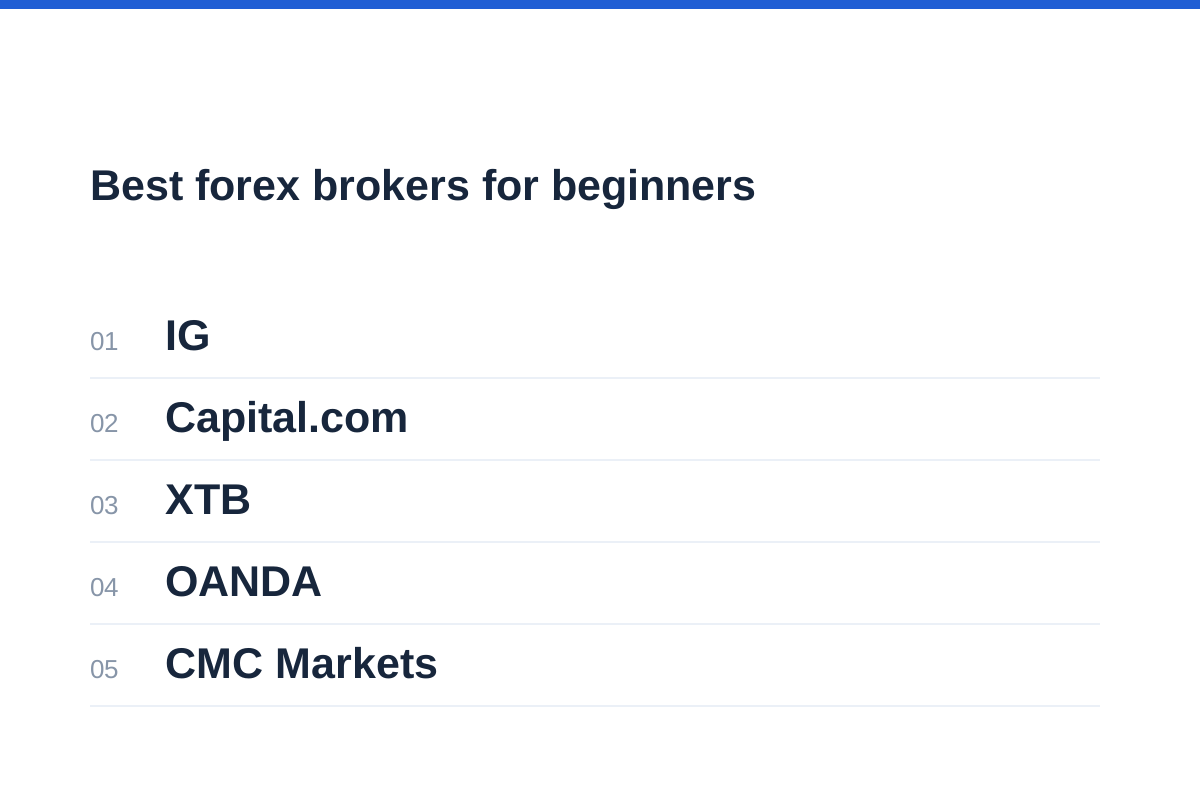
Best forex brokers for beginners: the shortlist
Our shortlist is IG, Capital.com, XTB, OANDA and CMC Markets. Start by comparing the demo workflow and order ticket, not by opening whichever account advertises the smallest deposit. Leveraged forex trading may be unsuitable even when a platform is straightforward to use.
IG leads this comparison because its documentation connects demo practice with practical order details and explicitly explains important simulation limitations. Capital.com follows for its documented demo and platform choices. XTB offers cross-device access and published account charges, but its international terms need careful regional interpretation. OANDA’s regional demo restrictions require a more specific platform decision. CMC Markets rounds out the comparison for web-and-mobile access, although we cannot make equally detailed comparisons of its sizing and practice conditions.
This order reflects beginner decision-making, not execution quality, financial strength or likely returns. There is no obligation to progress from demo to live trading. Availability, minimum trade sizes and contractual protections must be checked for the account offered in your country.
| Broker | Reason to compare | Main beginner trade-off |
|---|---|---|
| 1. IG | Demo documentation explains simulation limits; UK MT4 page advertises sizes from 0.01 lots | International demo terms and UK MT4 terms are not a universal account package |
| 2. Capital.com | Demo practice, mobile access and documented MT4 and MT5 options | Platform eligibility varies; simulated execution and liquidity may differ from live trading |
| 3. XTB | Desktop and mobile access, with published international account charges | Belize account terms must not be applied to UK or EU accounts |
| 4. OANDA | Specific EU and BVI demo-platform guidance | Neither documented demo route supports TradingView |
| 5. CMC Markets | UK platform page describes web-platform functionality on mobile | Confirm local demo access, order sizes and charges before choosing |
What makes a broker suitable for a novice?
A beginner needs controllable exposure more than a large instrument catalogue. First establish whether the smallest permitted order fits your intended cash risk. A modest deposit requirement is irrelevant if the minimum position forces you to risk too much.
Next, inspect the order ticket. You should understand the quantity field, account currency, margin estimate, stop instructions and closing process. A polished chart is not a substitute for knowing what happens when you press buy.
Finally, require understandable charges and a verifiable contracting entity. We have not assigned numerical scores: the available official pages do not establish comparable spreads, commissions, financing schedules and minimum sizes for equivalent accounts across all five brokers.
Use our position-size calculator to translate a cash-risk budget and stop distance into a proposed quantity, then compare that quantity with the broker’s actual contract specification.
Four gates before funding
Match the contracting entity, website and regulatory permissions.
Confirm that the minimum order fits your planned cash exposure.
Practise opening, amending and closing orders on the available demo.
Calculate spread, commission, financing and relevant account charges.
XTB and Capital.com: two platform-led starting points
XTB’s international platform page documents desktop and mobile access, including iOS and Android, across a range containing stocks, ETFs and CFDs. Compare the order ticket on both devices: can you identify the product, quantity, margin requirement and closing instructions without guessing? Cross-device access is useful only if those details remain clear.
Its international fees page identifies an FSC Belize-regulated offering and advertises no minimum deposit, zero CFD dealing commission and a minimum order of 0.01, without establishing the contract size for your chosen currency pair. It also lists a 0.5% CFD conversion fee and a $30 withdrawal fee below $50. Do not apply those terms to a UK or EU account. The page does not clearly resolve the treatment of a withdrawal of exactly $50; check the applicable schedule before funding.
Capital.com’s mobile page describes CFD market access, position monitoring and trade management. Its demo page advertises virtual funds, live prices and no expiry, while warning that execution and liquidity may differ from a live environment. That makes it useful for rehearsing the interface, not for proving how an order will fill with real money.
Capital.com also documents MT4 live and demo CFD access under its ASIC, CySEC, SCA, FCA and SCB licences, excluding residents of France. Its MT5 page says live and demo availability depends on region and account type. TradingView connectivity is documented separately; do not assume every integration supports the same demo workflow. Begin with one platform rather than switching between several before you understand the order process.
Its international charges page lists no trading commission, dynamic spreads and a 0.7% retail currency-conversion mark-up, alongside overnight adjustments and a fee when a guaranteed stop is triggered. Those charges illustrate why commission-free does not mean cost-free. Check the schedule for your actual entity and account. Capital.com’s country restrictions include the United States and Canada, and it says it cannot serve US citizens wherever they live.
Our XTB review provides a starting point for further due diligence; confirm the current documents for the entity that would actually accept your application.
For the second candidate, use the Capital.com review alongside the local fee schedule. Platform descriptions and customer testimonials are not substitutes for checking eligibility, charges and order specifications.
IG, OANDA and CMC Markets: compare the practice workflow
IG’s international demo page describes a web-platform simulator with $20,000 in virtual funds, mobile practice and access to IG Academy content. It also documents an MT4 demo option. These are useful ways to rehearse reading charts, completing a dealing ticket and monitoring positions without putting trading capital at risk. Confirm which route is available for your residence rather than assuming the international page describes your local account.
More importantly, IG explains what that practice leaves out. Its international demo trades are not subject to slippage, interest or dividend adjustments, or out-of-hours price movements. Orders are not rejected on size or price grounds, and positions are not closed for insufficient funds to cover margin and running losses. A neat demo record can therefore conceal problems that matter in live trading. Include a separate financing calculation and margin check in your practice journal.
IG’s UK MT4 page advertises trade sizes from 0.01 lots and both CFD and spread-betting accounts. Check the currency pair’s contract specification before converting that lot figure into units or cash risk. IG also documents MT5 and TradingView on its international site, but those pages do not establish identical regional eligibility or demo access. The reason to consider IG here is its practical documentation, not its promotional awards or execution claims.
OANDA illustrates why a broker’s name alone is insufficient. Its EU help page says demo users have access to MT5 and the OANDA app, not TradingView. The EU TradingView page describes a CFD-account integration for OANDA TMS Brokers clients located in the European Union and explicitly excludes demo accounts.
Separately, OANDA Global Markets’ BVI help page says demo clients can log in only to MT5 and cannot use TradingView. These are regional arrangements, not a universal OANDA platform package. If practising through TradingView is essential, neither of these documented demo routes meets that requirement.
CMC Markets’ UK platform page describes mobile access to web-platform functionality. That makes it worth comparing if you expect to move between a computer and phone, but it does not by itself establish suitable minimum positions, demo conditions or risk controls. Before choosing it, obtain the local contract specification and charges, then rehearse the same opening, amendment and closing routine used for the other brokers.
Remaining on demo is a separate decision, not a sixth broker. Stay with simulation if you cannot explain the contract, size an order or reconcile its charges. Even after those tasks become familiar, choosing not to fund a leveraged account remains a valid outcome.
Read the OANDA review with your jurisdiction in mind. A feature described for one group company should not be carried across to another.
Check the entity and the product before the app
For many UK retail customers, online forex speculation means rolling spot FX or CFDs, not taking delivery of currency. The FCA includes rolling spot FX within its retail CFD framework. Deliverable spot FX involves currency exchange; exchange-traded futures and institutional forwards or swaps have different contractual structures.
Read the proposed client agreement for the legal company name and incorporation location. Match these against the relevant regulator’s register, including website and contact details. A familiar trading name or an authorisation number copied into a message is not enough.
The FCA warns that overseas firms may use names resembling UK firms and that moving customers to overseas entities or professional classification can remove protections. Do not accept either change simply to obtain greater leverage.
For UK retail accounts within the FCA framework, negative balance protection and margin close-out rules do not prevent substantial losses of deposited money. These protections should not be assumed for every overseas forex arrangement; the CFTC also warns that margin trading can create losses exceeding deposits.
Follow our guide to checking whether a forex broker is regulated before submitting identification or sending funds, particularly after unsolicited contact.
Compare the complete trade cost, not a headline spread
The best forex brokers for beginners should make costs understandable, but this evidence does not establish a cheapest provider. An advertised minimum spread is not a like-for-like estimate of what your particular trade will cost.
Request the local schedule and compare the same currency pair, position size and holding period. Record whether commission is charged on each side and whether an account-currency conversion applies.
Financing matters when leveraged positions remain open past the provider’s daily cut-off. Also check withdrawal, inactivity and guaranteed-stop charges where applicable. These should be confirmed from current terms, not inferred from a platform’s claim of transparent pricing.
Use the spread-cost calculator to express a quoted spread in money for your proposed position. Add commission and financing separately rather than treating spread cost as the entire bill.
| Cost or condition | Question to answer | Why it changes the decision |
|---|---|---|
| Spread | What bid–ask difference applies during my intended session? | Entry and exit economics can differ from an advertised minimum |
| Commission | Is the quote per side or for the complete trade? | A narrow spread may accompany a separate dealing charge |
| Overnight financing | What rate, cut-off and charging calendar apply? | Holding time can materially change total costs |
| Currency conversion | Are profit, loss and fees converted into my account currency? | Conversion can add another charge or variable |
| Account and payment fees | Do inactivity, withdrawal or payment-method charges apply? | Infrequent trading does not necessarily mean zero account costs |
Work through sizing and a repeatable demo routine
Consider an illustrative USD-denominated account with a $10 planned price-risk budget and a stop 20 pips from entry on EUR/USD. For this pair, one pip is 0.0001 USD per euro, so 5,000 euros of exposure has a pip value of $0.50.
A 20-pip adverse move therefore represents $10 at that quantity, before commissions and other costs. This simplified calculation assumes the stop distance uses your actual entry price. A stop order does not guarantee its execution price; gaps and slippage can increase the loss.
If the permitted minimum order exceeds your calculated size, reject that trade or account configuration rather than widening your budget. Margin is collateral required to hold exposure, not a maximum-loss estimate.
On demo, repeat a written routine: choose one pair, calculate quantity, enter an order, attach a stop, amend it and close the position. Reconcile the resulting statement. Use a realistic virtual balance where settings permit, and record operational errors rather than judging readiness solely by simulated profit.
Our explanation of demo versus live trading accounts covers why simulated fills and virtual losses cannot establish live readiness. Funding remains optional even after a tidy practice record.
Turn a cash budget into units
Check the broker’s quantity increments and contract specification before applying the result.
Frequently asked questions
Which forex broker should a complete beginner choose?
There is no universal choice. Compare IG for its documented demo workflow and limitations, Capital.com for practice-platform choices, XTB for cross-device access, OANDA for region-specific platform arrangements, and CMC Markets for web-and-mobile use. Choose none if you cannot verify the entity, understand the charges or control the position size.
How much money do I need to start?
There is no useful universal amount. A broker’s deposit minimum is different from the capital needed to accommodate its smallest trade at your intended stop distance. Establish affordability and minimum position size first; do not use money needed for essential spending.
Can I practise OANDA trading through TradingView?
Not through the demo routes documented here. OANDA’s EU help specifies MT5 and the OANDA app, while its BVI help specifies MT5-only demo access. Both exclude TradingView demo use. Check your exact regional account rather than relying on generic connection instructions.
Does a regulated broker prevent me from losing money?
No. Regulation concerns permissions, conduct and applicable protections; it does not remove market risk or guarantee a firm’s survival. Leveraged currency positions can lose money rapidly. Check the current account-loss warning and understand which protections attach to your entity and client classification.
Should I choose the simplest app or the lowest spread?
Neither should decide the choice alone. An understandable order ticket is valuable, but so are affordable minimum sizes, full costs and appropriate account terms. Reject any platform where you cannot independently explain the proposed quantity, margin requirement and potential loss before submitting an order.